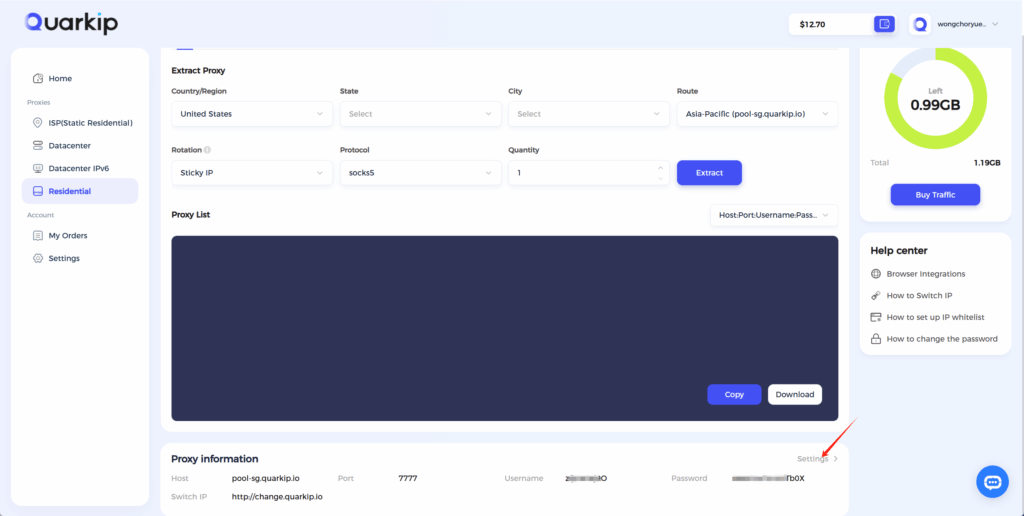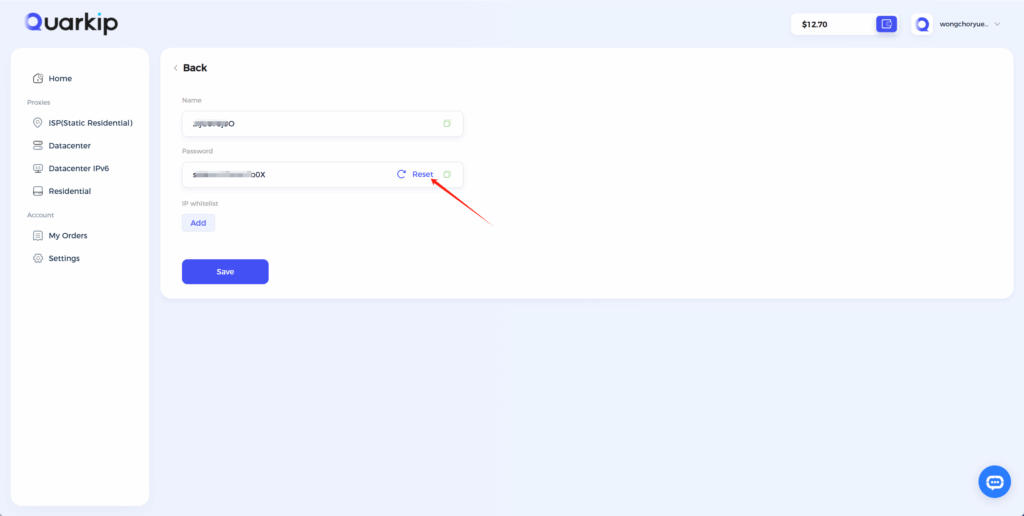
Password is the core security credential for proxy connections. To prevent security risks such as account suspension and data leakage caused by password exposure, QuarkIP supports proxy password reset.
After reset, the old password becomes invalid immediately, and you must reconfigure the proxy with the new password.
The password reset process takes approximately 3 minutes, during which the new password cannot be used for connection.
If you encounter any issues during use, please contact online support via the bottom-right corner of the page.
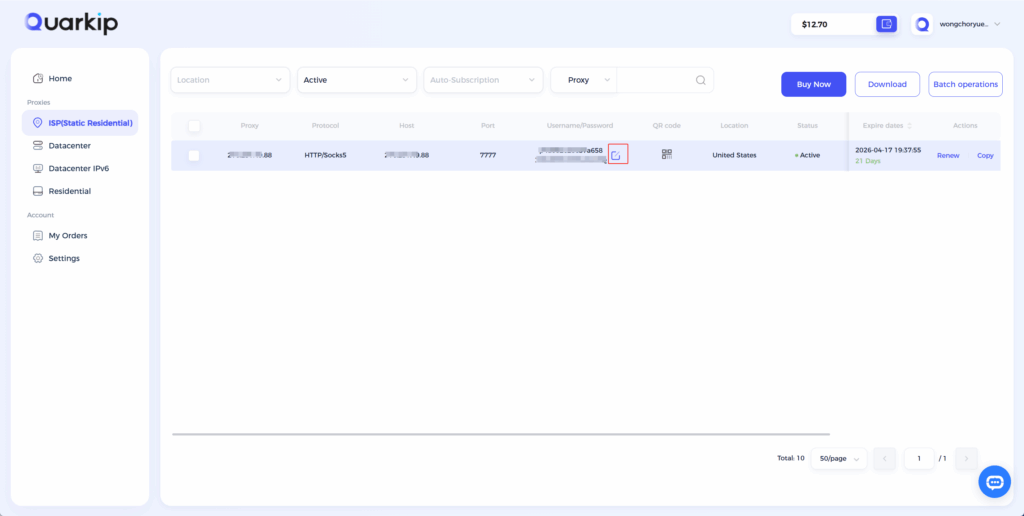
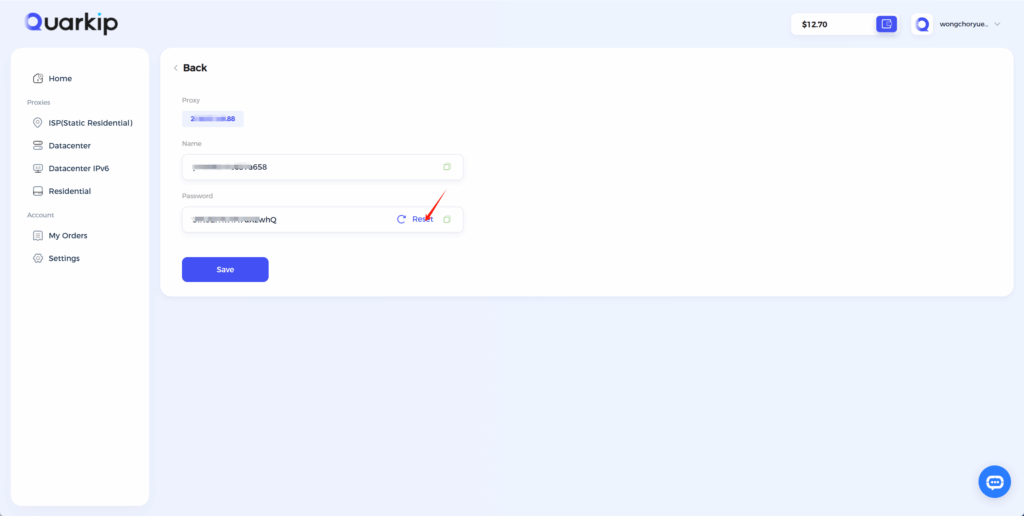
How to reset password for static proxy?
1、Select the proxy for which you need to reset the password, hover over “Account/Password”, and click the Edit button.
How to reset password for rotating proxy?
1、Go to the Residential page and click the Settings